

 Martin Scauri
StreamersDB V2: your CSV in seconds, a new dashboard, and invoices for your company
Our biggest update yet. Exports that used to take 20 to 30 minutes now land in seconds, the dashboard is rebuilt from scratch, you can sign in with Google, and companies get invoices in their own name.
Today StreamersDB moves to V2, and it is live for every account right now.
This update is built around what you told us. You wanted your files faster. You wanted a dashboard that gets out of your way. You wanted to sign in without yet another password. And the agencies, publishers and brands among you wanted invoices with their company on them.
Here is what changed.
Your CSV in seconds, not half an hour
Until now, a large export could keep you waiting 20 to 30 minutes before it reached your inbox. That is a long time to sit on a campaign idea.
We rebuilt the way orders are delivered from the ground up. Today most orders land within seconds of payment, and even the largest export we sell, the entire catalog, arrives in a few dozen seconds.
Speed is only half of it. Every order is now watched until it is delivered. If anything slows down along the way, it is retried automatically, so a file never sits forgotten in a queue. You pay, and the list is in your inbox while the idea is still fresh.
A dashboard rebuilt around what you actually do
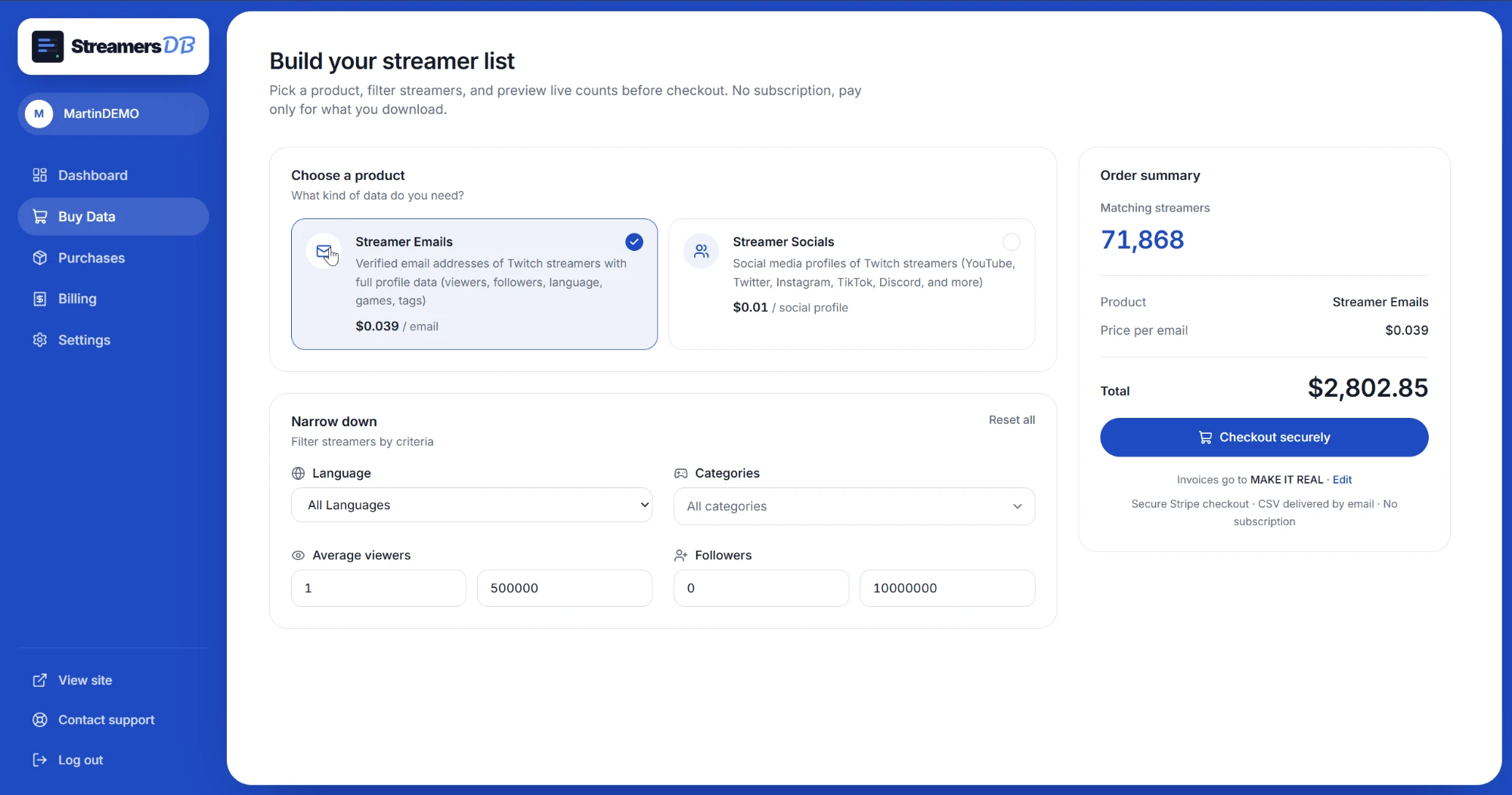
We redesigned the dashboard from scratch. It is cleaner, easier to scan, and every page is built around one job:
- Buy. Pick a product, filter by language, audience size and game, and watch the live count and exact price update before you check out. Already bought some streamers? Turn on Only new streamers and you will never pay twice for the same contact.
- Purchases. Every file you ever bought, ready to download again.
- Billing. Your full payment history, with the invoice of every order one click away.
- Contact support. A form right in the sidebar. Write to us without leaving the dashboard, and get our answer by email.
It works just as well on your phone as on your desktop.
Sign in with Google
One click on Continue with Google and you are in. No password to invent, no confirmation email to dig out of your spam folder.
Already have an account with the same address? Google signs you straight into it, purchases and invoices included. Prefer your email and password? They still work, and you can see how your account signs in under Settings.
Invoices in your company's name
A lot of you buy on behalf of a company, and your accounting team needs the right name on the invoice.
Every order already comes with a numbered invoice. Now you can set your account to Business in Settings, add your company name, address and, if you have one, your VAT number. Every invoice after that is issued to your company automatically, with nothing to tick at checkout.
All your invoices are in Billing, ready to download whenever your accountant asks. Buying without an account? Tick I'm purchasing as a business at checkout and the invoice goes to your company as well.
What stays exactly the same
The data. It still comes from a pipeline that tracks Twitch around the clock, so the list you export reflects today, not last quarter.
The pricing. Still $0.039 per verified email and $0.01 per social profile, with the exact total shown before you pay. No subscription.
Try it
V2 is live now. Open your dashboard, build a list, and see how fast it lands. New here? Create a free account in one click with Google.
Frequently asked questions
Seconds for most orders, and well under a minute even for the largest export we sell. The file lands in your inbox as soon as it is ready, and it stays available in Purchases in your dashboard, so you can download it again at any time.
Yes. Click Continue with Google on the sign-in or sign-up page: no password to create and no confirmation email to wait for. If you already have an account with the same address, Google signs you into it, with your purchases and invoices.
Yes. Set your account to Business in Settings and add your company name, address and, if you have one, your VAT number. Every invoice after that is issued to your company automatically. You can download all of them from Billing in your dashboard.
No. V2 is live for every account. Your purchases, files and invoices are exactly where they were. The dashboard just looks and works better.